Set up single sign-on
Time: about 20 minutes · You need: ParleML running for a team, served over HTTPS (Install and operate ParleML), and permission to register an application with your identity provider. You'll end with: people signing in through Entra ID, Okta, Google, Ping or any OpenID Connect provider, and appearing by name on decisions and records.
Until you do this, ParleML runs in open mode: anyone who can reach it can use it, as an administrator.
1. Register ParleML with your identity provider
- Create an OpenID Connect web application (a confidential client).
-
Register this redirect URI, with your own host name:
https://parleml.example.com/api/auth/callback -
Grant the scopes
openid email profile. ParleML reads each person's email and display name from the ID token. - Note the client ID, the client secret and the issuer URL.
2. Give the server its settings
Server settings are environment variables. Put them in a file, for example parleml.env:
PARLEML_AUTH_REQUIRED=true
PARLEML_OIDC_ISSUER=https://login.example.com/your-tenant/v2.0
PARLEML_OIDC_CLIENT_ID=<client-id>
PARLEML_OIDC_CLIENT_SECRET=<client-secret>
PARLEML_OIDC_REDIRECT_URI=https://parleml.example.com/api/auth/callback
[email protected],[email protected]
PARLEML_MODE=prod
<client-id> and <client-secret> are the values from step 1.
| Setting | What it does |
|---|---|
PARLEML_OIDC_ISSUER |
Turns single sign-on on. ParleML reads the endpoints and signing keys from <issuer>/.well-known/openid-configuration, so the same settings work for every compliant provider. |
PARLEML_AUTH_REQUIRED |
The one switch. When true, every API and MCP call needs a signed-in person or an API token. The health check, the sign-in flow and the API documentation stay open. |
PARLEML_ADMIN_EMAILS |
Who becomes an administrator. Everyone else who signs in is an editor. Matching ignores case. The role is worked out again at each sign-in, so a change takes effect the next time the person signs in. |
PARLEML_MODE=prod |
Hides the data root and library versions from callers who are not signed in. |
3. Restart the container with the file
docker rm -f parleml
docker run -d --name parleml -p 8000:8000 \
  -v parleml-data:/app/data_root \
  --env-file parleml.env \
  ghcr.io/parleml/parleml:0.8.0
docker rm -f parleml
docker run -d --name parleml -p 8000:8000 `
  -v parleml-data:/app/data_root `
  --env-file parleml.env `
  ghcr.io/parleml/parleml:0.8.0
Add the other flags your server already uses, such as agent keys. Your data stays in the volume.
4. Check it worked
- Open ParleML in a private window. You see Sign in with SSO. Choose it, sign in at your identity provider, and you come back to ParleML.
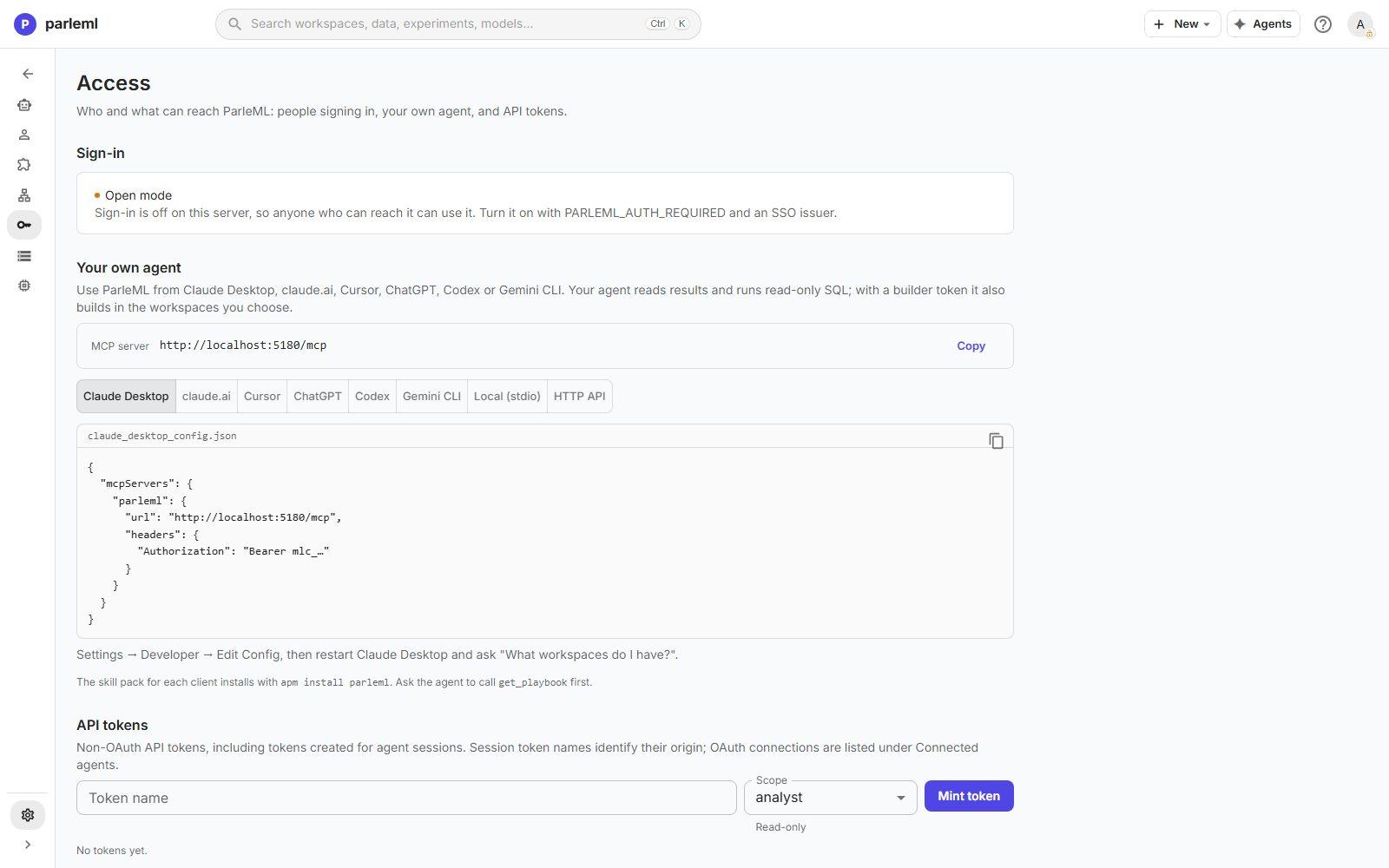
- As an administrator, open Settings → Access. Under Sign-in it says Single sign-on instead of Open mode.
- Answer a decision in a session. The decision shows your name instead of anonymous.
Details: optional settings
| Setting | Use it when |
|---|---|
PARLEML_SESSION_TTL_HOURS (default 4) |
You want a longer or shorter sign-in. It renews while the person is active. A short lifetime limits how long a removed account keeps working. |
PARLEML_OIDC_SCOPES (default openid email profile) |
Your provider needs other scopes. |
PARLEML_OIDC_RP_LOGOUT=true |
Signing out of ParleML should also end the identity provider's session. Register a post-logout redirect URI with the provider and set PARLEML_OIDC_POST_LOGOUT_REDIRECT to it. |
PARLEML_SESSION_SECRET |
You run more than one server process and they must accept each other's sign-ins. Unset, the key comes from the data root, so sign-ins survive a restart. |
PARLEML_POST_LOGIN_REDIRECT (default /) |
The web application is served from a different origin than the API, as in local development. |
PARLEML_CORS_ORIGINS |
A browser application on another origin calls the API. It can never be *. |
Details: a token-only server
PARLEML_AUTH_REQUIRED=true without PARLEML_OIDC_ISSUER is a server nobody can sign in
to: only API tokens minted before you turned it on work. The server starts, and its log
says so. Use it for a headless server that only agents call.
What changes for scripts and agents
- Sessions ParleML runs get their own short-lived tokens. Nothing changes for them.
- Scripts and your own agents use an API token or an OAuth connection. An administrator mints tokens under Settings → Access → API tokens. Anyone who signs in can connect an agent host through OAuth. See Use ParleML from your own agent and Access, permissions and data.
If something goes wrong
- The provider reports a redirect URI mismatch. The URI registered with the provider must
match
PARLEML_OIDC_REDIRECT_URIexactly, includinghttps://. - "Login session expired — please try again." The sign-in took too long, or started in another tab. Start again from ParleML.
- You come back from the provider but are still not signed in. Once sign-in is on, the sign-in cookies are sent over HTTPS only. Serve ParleML over HTTPS, behind a TLS proxy.
- The sign-in page says "Single sign-on is not configured."
PARLEML_OIDC_ISSUERis not set in the container. Check the file you passed with--env-file. - An administrator signs in as an editor. The email the provider sends must match an entry
in
PARLEML_ADMIN_EMAILS. Fix the list, restart, and sign in again.
The backend configuration reference lists every authentication setting.
Next
- Configuration and settings keys: every setting most installations change.
- Access, permissions and data: roles, token scopes and what only a person can do.