Your first model
Time: about 10 minutes · You need: ParleML running (Run ParleML). No agent needed. · You'll end with: a model that predicts which customers will cancel, how accurate it is on customers it never saw, and what drives cancellation.
You'll use the Customer churn sample: 6,000 subscribers of a made-up service, with their plan, tenure, support tickets and whether they cancelled.
1. Open the sample
On Home, under Start from a sample, choose Customer churn. (Once you have workspaces, the samples are behind the Sample datasets button on Home.)
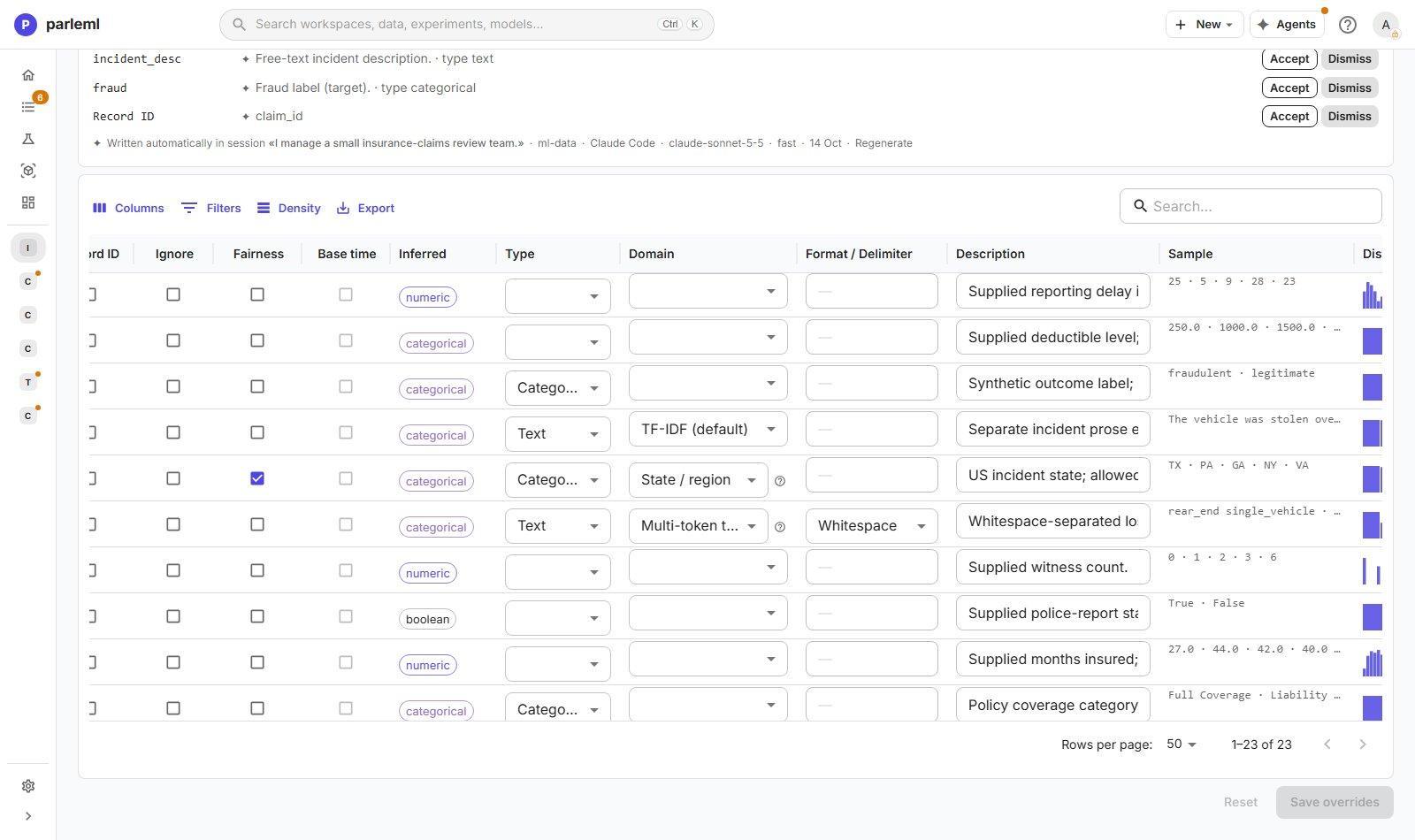
ParleML creates a workspace called Customer churn and opens its dataset. The Columns tab lists every column with what ParleML recognised in it: numbers, categories, dates, IDs.
2. Start an experiment
Choose New experiment → Classification / regression. The setup has three short steps.
1. Data & question. The dataset is already selected. Set Target column to churn, the
column you want to predict. ParleML reads it and sees two values, so this is a yes/no
(binary) problem.
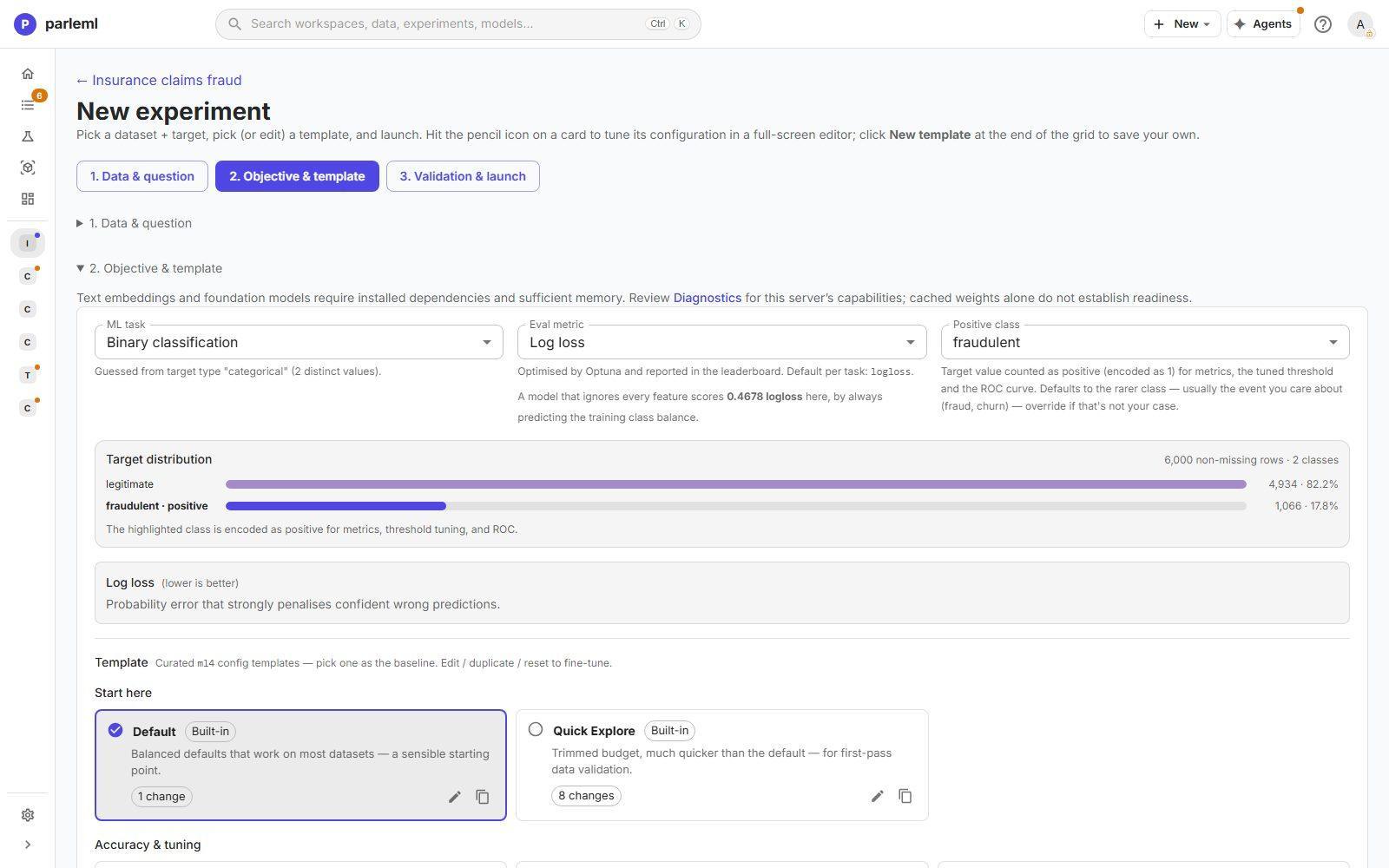
2. Objective & template. A template is a ready-made recipe for how to train. Pick Quick Explore: one fast model, ready in a few minutes. Leave the objective as suggested.
3. Validation & launch. Keep the defaults. ParleML sets aside a slice of customers the model never trains on, the test set, so the accuracy you'll see is honest.
Choose Launch experiment.
3. Watch it train
The experiment page shows each stage as it runs: checking the data, engineering features, training, calibrating. A Quick Explore run on this sample finishes in 2 to 5 minutes on a laptop.
4. Read the result
When it finishes, the Overview tab gives the headline:
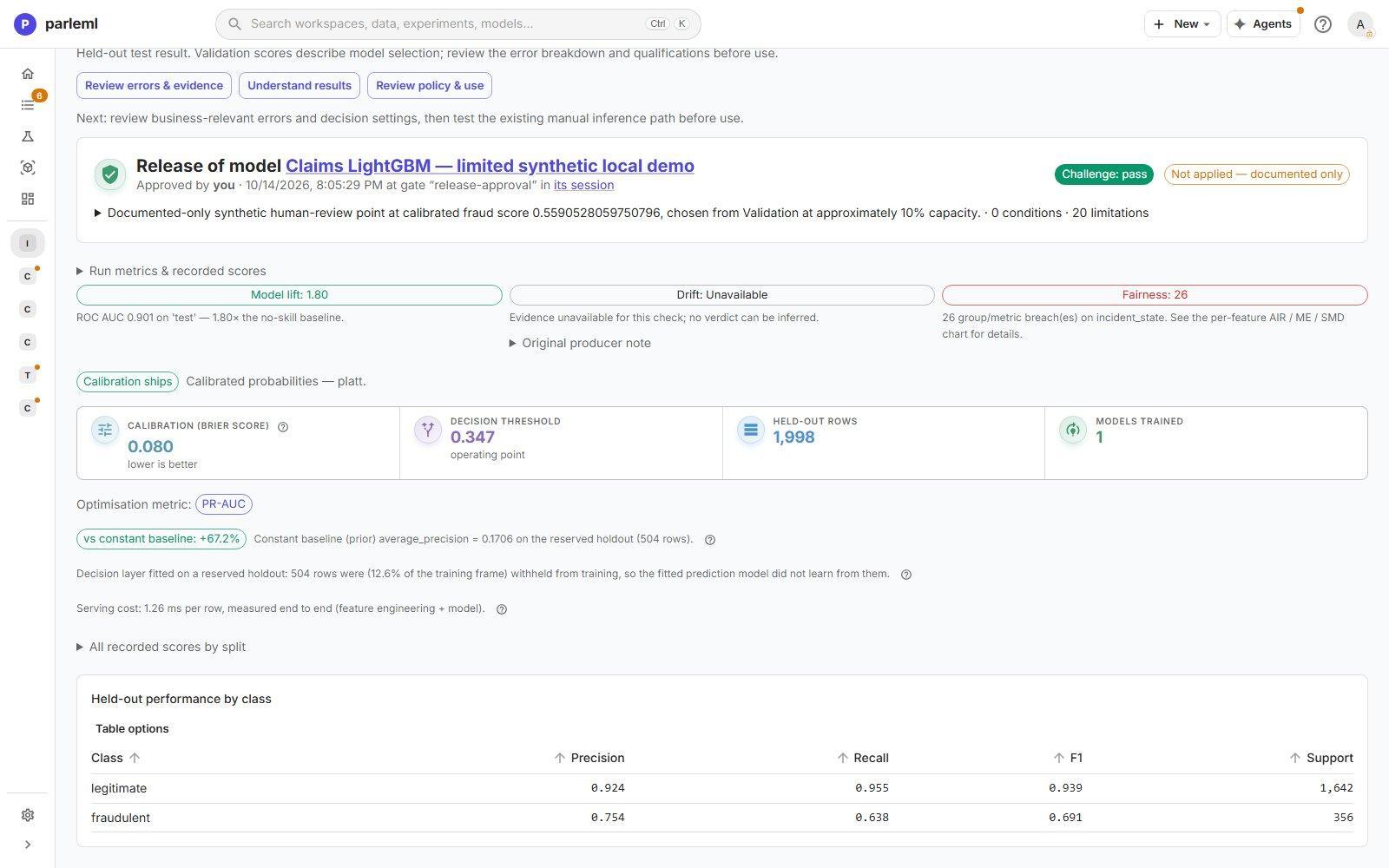
- The score on the test set. For churn, ParleML optimises how well the model ranks customers by risk (for example ROC-AUC or log loss). Hover any metric for what it means.
- The comparison with a no-skill baseline. A model that cannot beat "everyone churns at the average rate" is flagged, so you never ship one by accident.
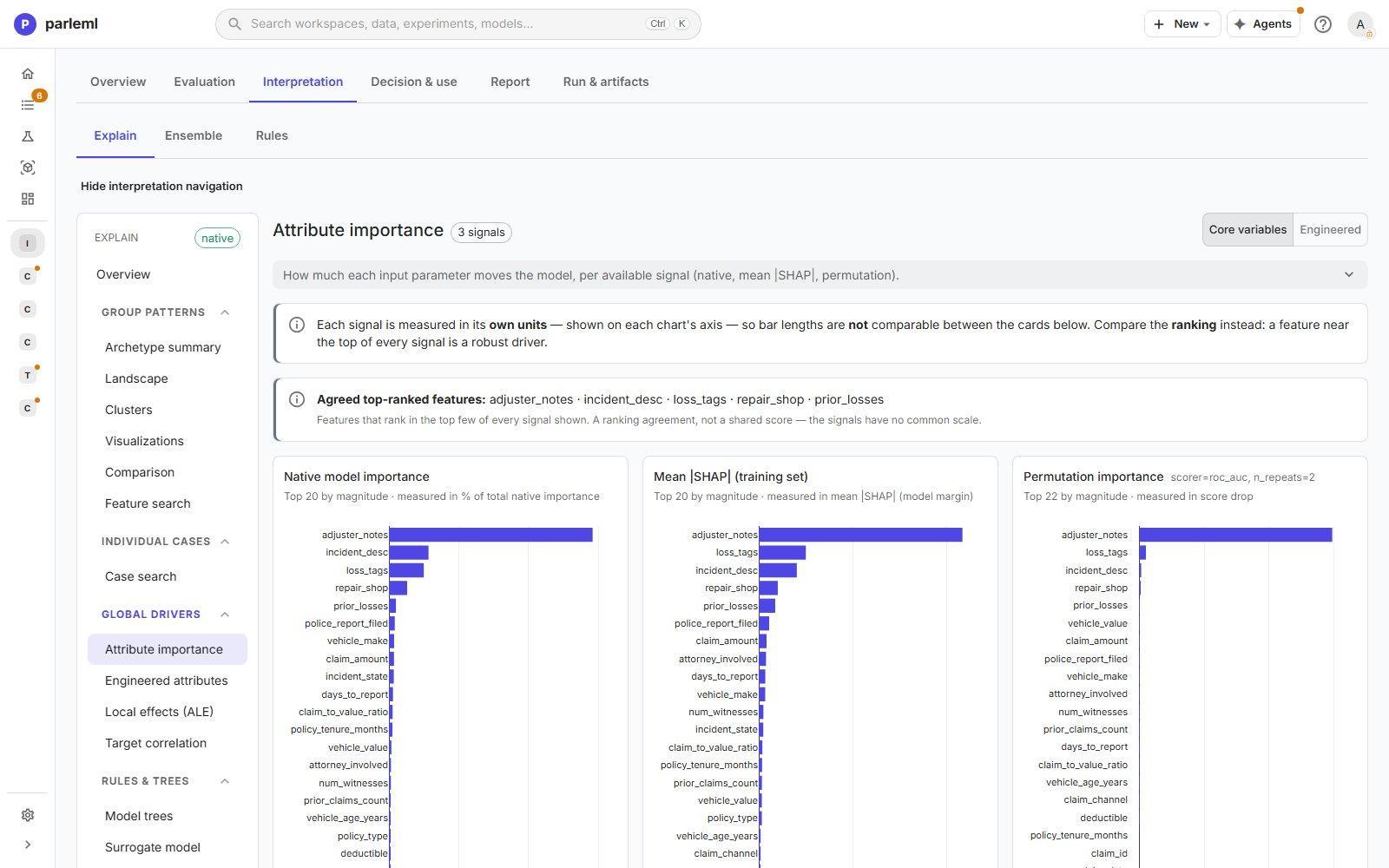
The model can score new rows right away. To see why it predicts what it does, choose Compute explanations, the main button in the experiment's header. It takes a few minutes and fills in the explanation pages. Then open Interpretation to see what drives churn: the features the model leans on most, how each one moves the risk up or down, and plain if-then rules that describe the riskiest groups of customers, each checked on the test set.
This is synthetic data
The sample was generated to behave like real churn data. Its patterns are realistic, but a high score here says nothing about your own customers.
5. Try one thing yourself
- Under Decision & use → Inference, change one customer's tenure or plan and watch the prediction move. Once the explanations are computed, the same view shows which features pushed the prediction and the rules the customer matches.
- Start a second experiment with the Default template. In the workspace's experiment list, tick both and choose Compare.
Next
- Work with an agent: let an agent build and explain this kind of model while you make the decisions.
- A tour of ParleML: the ideas behind workspaces, datasets, experiments and models.