Work with an agent
Time: about 15 minutes of your attention (the agent keeps working in between) · You need: ParleML running with an agent signed in (Run ParleML, step 3). You'll end with: a fraud model built, checked and explained by an agent, with every important decision made by you.
An agent in ParleML works like a careful junior data scientist. It reads the data, proposes a plan, asks you before anything that matters, trains and challenges models, and writes up what it found. You stay in charge: it never releases a model on its own.
You'll use the Insurance claims fraud sample: 6,000 claims with amounts, dates, loss tags and free-text adjuster notes.
1. Open the sample and brief the agent
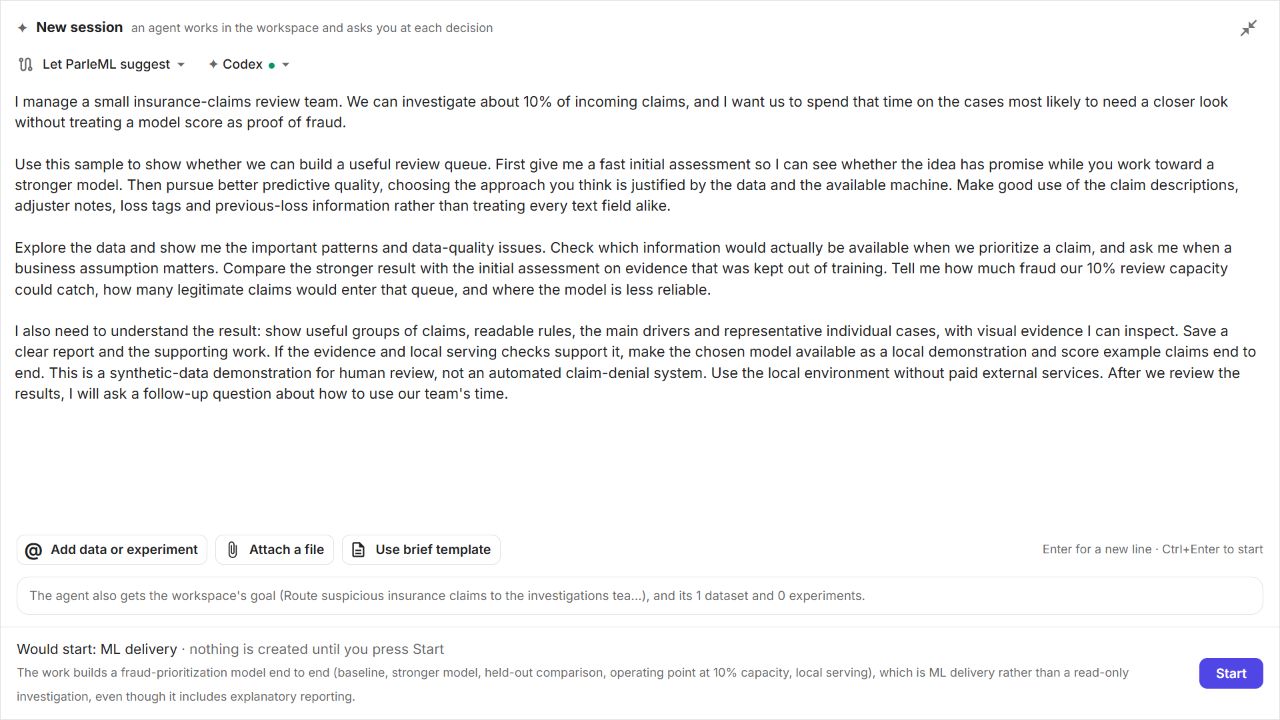
On Home, under Start from a sample, choose Insurance claims fraud. On the dataset page, choose Ask an agent. The workspace and the dataset are attached to the conversation.
Write a brief in your own words, like you would to a colleague:
Build a model that flags likely fraudulent claims for our investigators, using all the
claim fields including the adjuster notes. Our team can review about 10% of claims.
Tell me how well it catches fraud and what the warning signs are.
Choose Start. ParleML picks the right workflow for the brief (here ML delivery) and gives the session a short title.
2. Follow the plan
The session page shows the Flow on the left: the steps of the work, from framing the problem to release. Steps run one after another; your decisions sit between them. On the right, Activity is the conversation: what the agent is doing and why.
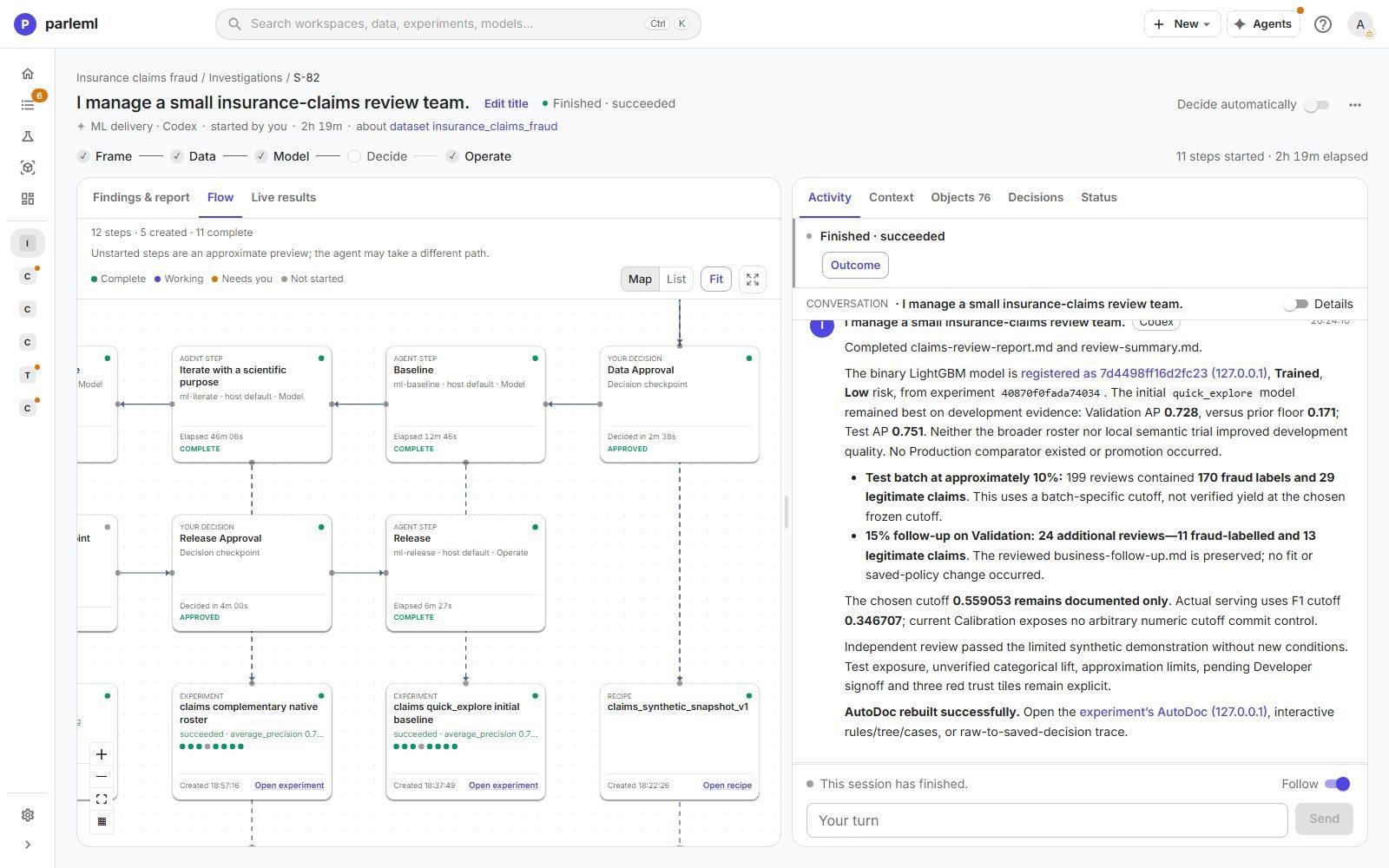
You can leave the page. The agent keeps working, and Home tells you when it needs you.
3. Make the decisions
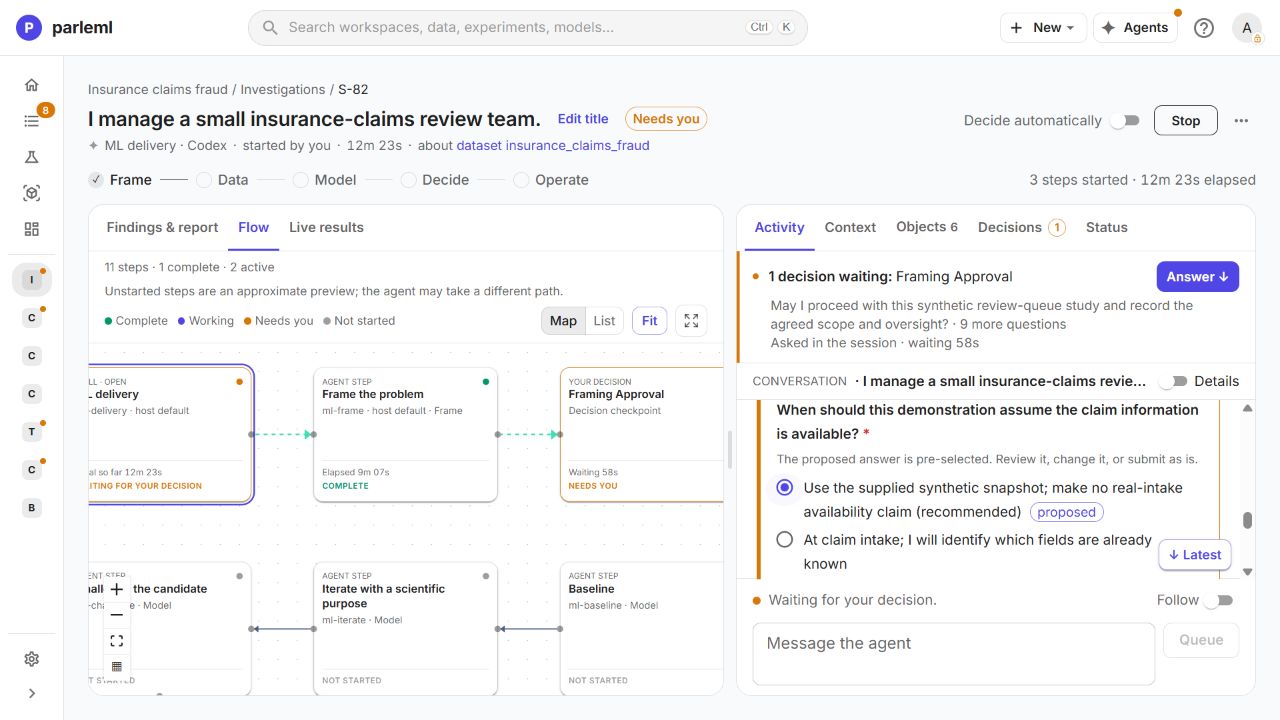
The agent stops at a few points and asks. Each question comes with its proposal and the evidence behind it, so you can approve it, change it, or answer in your own words.
- Framing. What exactly to predict, which metric fits fraud (rare positives, so a ranking metric rather than plain accuracy), and how the model will be used.
- Data. Whether the training table is right, and what to do about suspicious columns. On this sample, a good agent notices that some adjuster notes read like the investigator's verdict, written after the fact. Using them would make the model look brilliant in testing and useless in practice. This is called leakage. The agent asks you how to treat them.
- Release. Which operating point to use (for example: flag the top 10% of claims), and whether the model is fit for its intended use.
Push back
The agent's proposals are drafts. If one looks wrong, say so in your answer. For example: "Test the model both with and without the adjuster notes, and don't release the version that uses them." The agent runs that comparison and reports the difference.
4. Read what it found
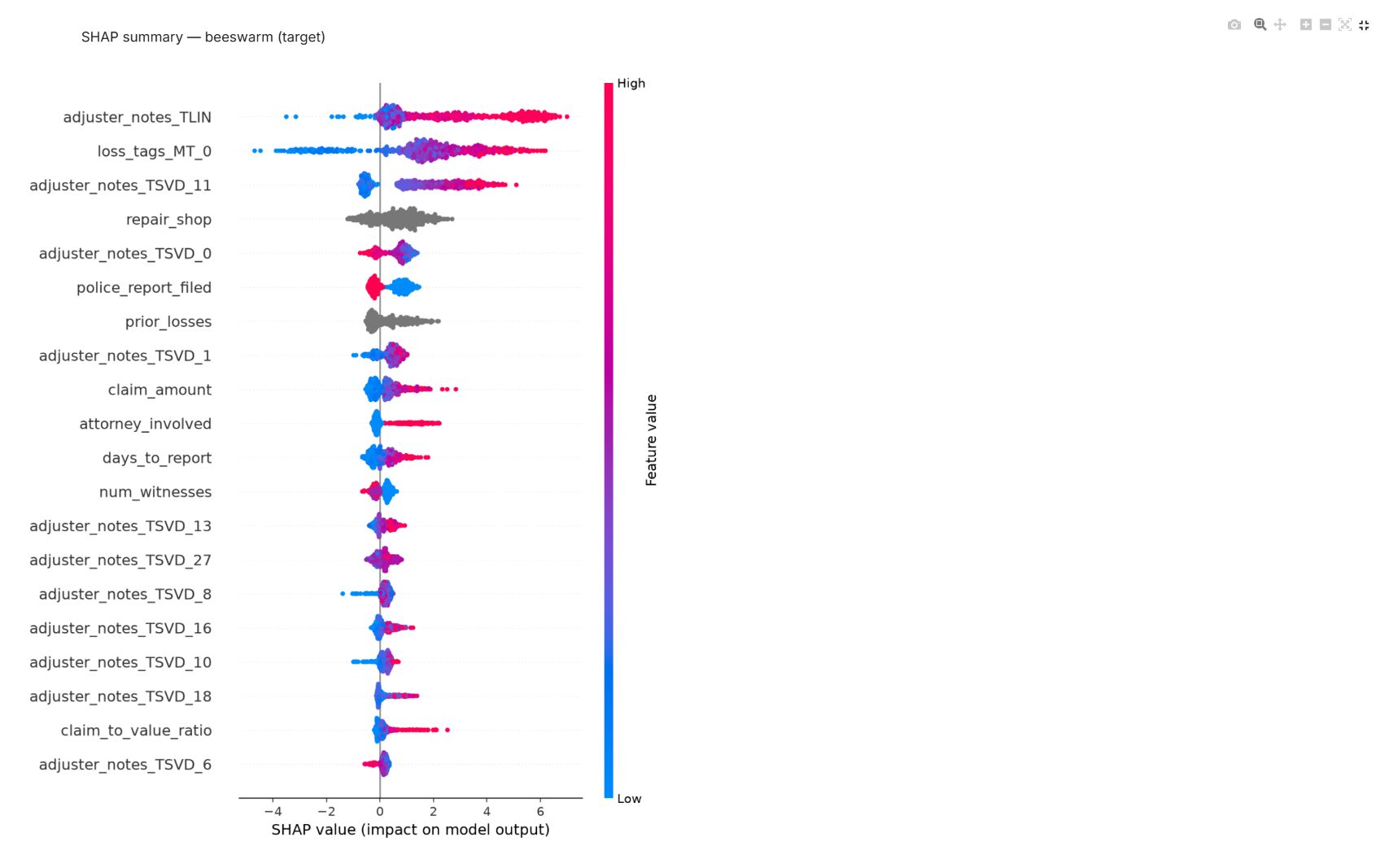
When the work finishes, the session ends with a summary: the model, its accuracy on held-out claims compared with a no-skill baseline, the warning signs, the conditions you set, and the reports it saved. Every number links to the evidence in the app: the experiment, its evaluation charts and its explanations.
5. Ask a follow-up
Start a new session in the same workspace with a business question, for example:
Among the claims the model would send to review, which warning signs show up most often,
and how many of those claims had no police report?
The agent answers from the evidence already in the workspace, without training anything new.
Results vary between sessions
Agents make their own choices, so two sessions on the same sample can take different paths and land on slightly different numbers. The checks ParleML runs (held-out testing, baseline comparison, leakage scans) stay the same.
Next
- A tour of ParleML: what the agent was working with.
- Build a claims review queue: the full, step-by-step version of this session, with every screen.